
Kernel Panic - not syncing: VFS: unable to mount on unkown-block(0,0)
When this error occurs on your screen when you boot your Linux laptop then that could mean multiple things
- A missing or improperly generated initramfs after a kernel upgrade
- Incorrect boot or partition configuration
- Disk or RAM corruption or other hardware problems
Most of the time it is number 1, which can be more easily resolved then the other 2. Therefore, we will first try to solve 1 and if that does not work we will do some tests to see if it is 2 or 3.
To see if you are dealing with a missing or improperly generated initramfs after a kernel upgrade we will try to boot from an older kernel previous to the update that happened on your laptop
- Turn off your laptop
- Restart your laptop
- Then hit the ESC or SHIFT key to enter the Grub Menu. In debian that looks something like this
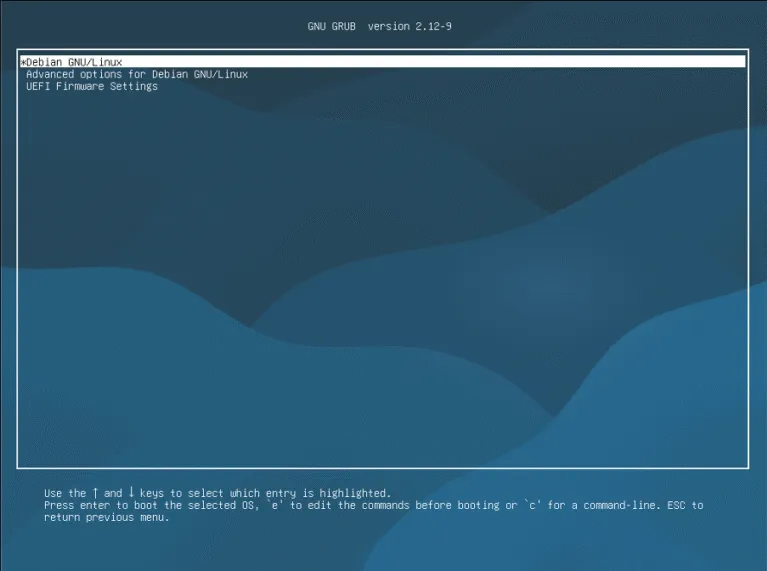
4. Then select: Advanced options for Debian GNU/Linux
5. This will prompt you with all the different kernels that are installed on your system. We will then select the kernel that is one older than the newest one. Don't hit the recovery version just the regular version
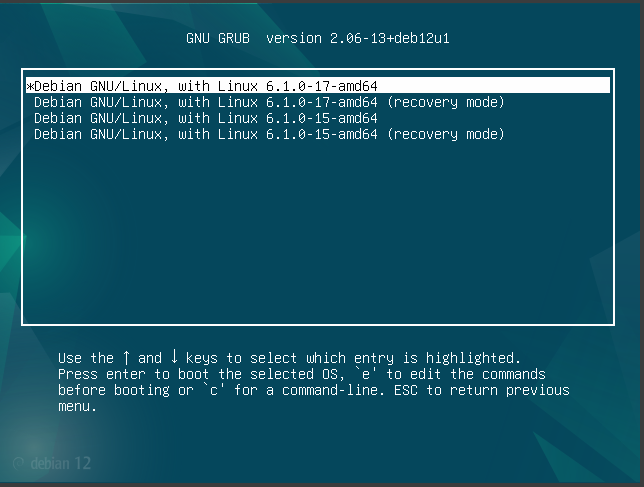
Then if that was the problem then it should all be working again like normal ;)
However, you do need to remove the new kernel versions from your laptop to make sure that it does not load again in the corrupted kernel on the next reboot.
- Enter your terminal after you have been logged into your dashboard
- Then we will check the installed kernels with the command
rpmdpkg -qa-list kernel| grep linux-imageWhich will give you the list of installed kernels.kernels, Thenthat whatlooks issomething leftlike tothis
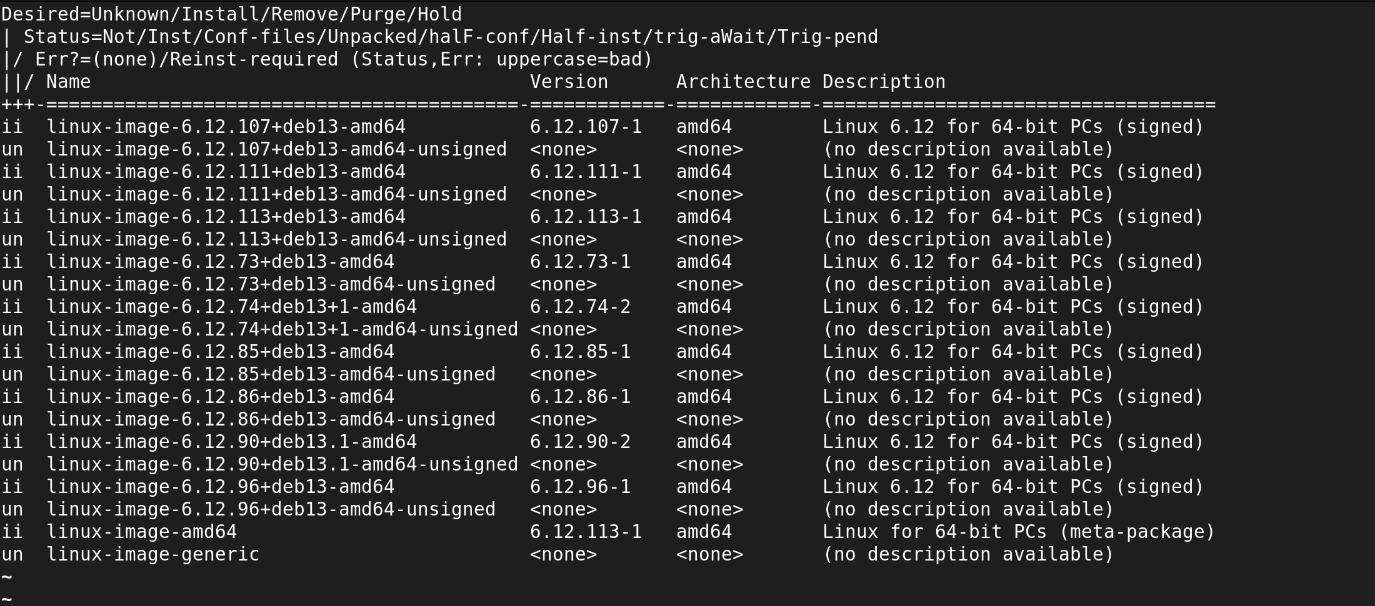
3. toTo deleteremove one installed kernel on Debian, first check the newestrunning version with
uname -r4. Never remove the running kernel.
5.Then purge the specific older version, for example
sudo apt purge linux-image-<version>6. Keep at least one older kernel thatas a fallback
Alright hopefully this helped you won'tout use for now. To do this you will useand the commandpanic was not such a panic after all ;)